Scan. Pay. Gone: The QR Code Scam Hiding in Plain Sight
You enter a store.
You buy something.
₱350.
"GCash po?"
The cashier points to the QR code.
You take out your phone.
Scan.
Type ₱350.
Send.
Done.
You've probably done something similar countless times.
No fear.
No suspicion.
No cybersecurity training.
Why would there be?
It's just a QR code.
And that may be exactly the problem.
Because the little black-and-white square we've learned to trust can also become a doorway to a scam.
The scam even has a name:
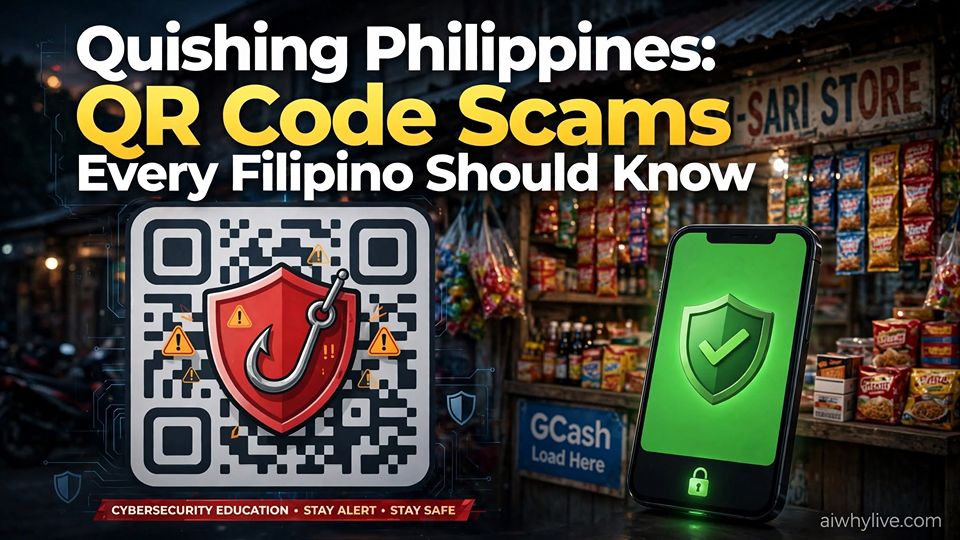
QUISHING.
QR code + phishing.
And if you've never heard the word before, remember it now.
The Bangko Sentral ng Pilipinas has warned Filipinos about this threat.
And there is one characteristic of QR codes that makes the scam especially interesting:
You cannot read a QR code with your eyes.
You scan first.
You discover where it leads afterward.
Welcome to phishing in the QR economy.
🧠 AIWhyLive Explains: What Is Quishing?
Quishing means QR phishing.
Instead of persuading you to click a suspicious-looking link, a scammer hides the destination inside a QR code.
When scanned, a malicious QR code can potentially lead to:
- a fake bank login page,
- a fake e-wallet page,
- a fraudulent payment destination,
- a website collecting personal information,
- or a malicious download.
There is also a frighteningly simple version.
A criminal can place a fraudulent QR code over a legitimate merchant's payment code.
You scan.
You pay.
The money goes somewhere else.
The merchant waits.
You show your phone.
"I already paid."
The merchant checks.
"No payment received."
And somewhere else...
someone you've never met may be having a very good day.
Why Filipinos Need to Know About Quishing Now
QR codes have become part of ordinary digital life.
We use them for payments.
Menus.
Registrations.
Promotions.
Events.
Online selling.
Banking.
E-wallet transactions.
And countless other shortcuts between the physical world and the Internet.
That convenience is valuable.
But familiarity can lower suspicion.
That is why quishing deserves attention.
The safest-looking scam may not be something obviously suspicious.
Sometimes it looks exactly like something you've already scanned a hundred times.
🍗 Lechon Manok: The Fastest ₱500 You'll Ever Lose
Customer:
"GCash po?"
Seller:
"Yes, scan lang."
Customer:
scans QR code
"Sent."
Seller:
"Wala pa."
Customer:
"Wait lang."
Seller:
"Wala talaga."
Customer:
"But it says successful."
Seller:
"Kanino mo sinend?"
Customer:
"..."
Customer looks at QR code.
Seller looks at QR code.
Both look at each other.
Uh-oh.
😂
Except if the money is gone, it isn't funny anymore.
The Genius of the QR Code Is Also Its Weakness
If somebody sends you a suspicious-looking web address, you may notice something wrong.
Strange spelling.
A weird domain.
Random characters.
A suspicious extension.
Your eyes have something to inspect.
But show someone a QR code.
What does it say?
You don't know.
Neither do I.
That's the point.
QR codes encode information in a form designed for machines to read.
Humans usually cannot determine the destination simply by looking at the pattern.
We have therefore trained ourselves into a very convenient sequence:
See QR → Open camera → Scan → Tap → Continue.
Sometimes in three seconds.
That behavior is convenient.
It can also be exploited.
🐘 Elephant in the Room: We Trust QR Codes Because They're Everywhere
Filipinos don't need to be foolish to fall for quishing.
Quite the opposite.
The attack works partly because digital payments and QR codes have become familiar.
You may encounter QR codes at:
- restaurants,
- coffee shops,
- small neighborhood stores,
- online shops,
- events,
- parking areas,
- delivery transactions,
- registration forms,
- posters,
- promotions,
- fundraisers,
- and social-media posts.
Repeated exposure creates trust.
Scammers can exploit that trust.
It may look completely ordinary.
The Sticker Scam: One QR Code on Top of Another
Imagine a legitimate business displays its payment QR code.
A scammer prints another QR code.
Similar size.
Similar appearance.
Then places the fraudulent QR sticker over the legitimate one.
A customer arrives.
Scans.
Pays.
Leaves.
The customer may believe the business was paid.
The business may believe the customer didn't pay.
But the real problem is neither of them.
The destination encoded in the QR code changed.
Philippine authorities have specifically warned about fraudulent QR codes being used to divert payments and obtain personal information.
So before scanning a physical payment QR code:
- Look for stickers placed over another code.
- Check for peeling corners or unusual layers.
- Look for signs of alteration or tampering.
- Ask the merchant if the code belongs to them.
- Check the recipient displayed by your payment app before confirming.
Five seconds of suspicion can be cheaper than hours trying to recover money.
Quishing Isn't Only About Stealing Your Payment
A malicious QR code doesn't need to immediately steal money.
Sometimes the goal is:
Access.
Imagine scanning a QR code.
It opens what appears to be your bank or e-wallet.
Correct-looking logo.
Familiar colors.
Professional design.
The page says:
"Session expired. Please log in."
You enter your username.
Password.
Perhaps other account information.
The website says:
"Thank you."
Nothing appears to happen.
So you close it.
But the scammer may already have what they wanted.
The fake website was the trap.
Where Does AI Enter the Quishing Scam?
Quishing existed before today's generative AI boom.
AI did not invent QR phishing.
That distinction matters.
But generative AI can lower the effort needed to produce some of the material surrounding a scam.
A scammer can use modern tools to help create:
- professional-looking text,
- convincing promotional copy,
- multiple message variations,
- translations,
- graphics,
- fake customer-service scripts,
- and more personalized social-engineering messages.
Perfect grammar is no longer strong evidence that a message came from a professional organization.
A polished design isn't proof of legitimacy.
A familiar logo proves very little by itself.
It is AI-assisted credibility + human urgency + a destination hidden behind a QR code.
👦 ELI12: A QR Code Is Like a Link You Can't Read
Here's perhaps the easiest way to explain quishing to your parents, children, employees or friends.
A QR code can function like:
a link you can't read with your eyes.
Would you click a strange link sent by someone you don't know?
Hopefully not.
So why automatically trust a strange QR code?
Same Internet.
Same scammers.
Different shape.
That's quishing.
The Scammer May Not Need to Hack Your Phone
When people hear "cybercrime," they imagine:
Dark room.
Five monitors.
Green code everywhere.
Hacker wearing hoodie.
Keyboard:
tak tak tak tak tak
😂
But many scams don't require defeating sophisticated security.
They target the human.
The criminal doesn't necessarily need to break into your bank.
They convince you to open a fake bank page.
They don't necessarily steal your password from a server.
They convince you to type it.
They don't necessarily bypass the payment system.
They convince you to send the payment.
This is social engineering.
And the QR code gives it a convenient instruction:
SCAN ME.
Why "Scan to Claim" Should Make You Slow Down
Congratulations!
You won!
Scan here to claim.
Free load!
Scan here.
Refund available!
Scan here.
Your package couldn't be delivered!
Scan here.
Your account needs verification!
Scan here.
Discount voucher!
Scan here.
Free Wi-Fi!
Scan here.
Job opportunity!
Scan here.
Not every QR code attached to these things is fraudulent.
But notice the emotions scammers often try to trigger:
Fear.
Urgency.
Curiosity.
Greed.
Authority.
Sympathy.
The QR code is technological.
The scam is psychological.
We Were Taught "Think Before You Click." Now Add One More Rule.
For years, cybersecurity education taught us:
Don't click suspicious links.
Excellent advice.
But a QR code can hide the visible link.
😂
That means our digital instinct needs an upgrade.
Keep:
Think Before You Click.
But add:
The Five-Second QR Rule
Before scanning a QR code involving money, banking, accounts or personal information, take five seconds.
1. STOP.
Don't allow urgency to control the transaction.
2. LOOK.
If it is a physical QR code, inspect it for stickers, damage, alterations or anything covering the original.
3. VERIFY.
Confirm that the QR code actually came from the merchant, organization or person it claims to represent.
4. PREVIEW.
If your device displays the destination before opening it, read the address carefully.
5. CONFIRM.
Before sending money, check the recipient name and transaction details shown by the payment app.
STOP. LOOK. VERIFY. PREVIEW. CONFIRM.
Five seconds.
That's it.
Read the Recipient Before Pressing Send
This may be one of the simplest protections against payment QR scams.
Before pressing the final payment button:
Read the recipient.
Not the QR code.
Not the poster beside it.
Not what somebody told you.
Read what the payment application itself displays.
If you're supposedly paying:
Juan's Lechon Manok
but the payment app shows an unexpected recipient...
STOP.
Ask.
There may be a legitimate explanation.
But don't assume.
The confirmation screen exists for a reason.
Use it.
Never Let a QR Code Rush You Into Giving Away Sensitive Information
A QR code leads somewhere.
The destination may then ask for:
Password.
PIN.
Card information.
Personal details.
Authentication codes.
If a QR code unexpectedly leads to a page requesting sensitive financial information:
Stop.
Close it.
Open the bank or e-wallet's official app yourself.
Do not continue merely because the page looks professional.
🍗 Lechon Manok: "But the Logo Is Correct!"
Victim:
"It can't be fake."
Friend:
"Why?"
Victim:
"It has the bank's logo."
Friend:
"You mean the logo anyone can copy from the Internet?"
Victim:
"..."
Friend:
"And it has perfect grammar?"
Victim:
"Yes!"
Friend:
"In the Age of AI?"
Victim:
"..."
😂
We need new instincts.
Professional-looking does not necessarily mean professional.
Perfect English does not prove legitimacy.
A familiar logo does not prove ownership.
And a QR code beautifully printed on glossy paper...
is still just a QR code.
What If the QR Code Comes From Someone You Know?
Still verify unusual requests.
Accounts can be compromised.
Profiles can be impersonated.
People can unknowingly forward malicious content.
The question isn't simply:
"Do I trust this person?"
The better question is:
"Was I expecting this request, and can I verify it another way?"
If someone you know unexpectedly sends:
"Scan this urgently. I need help."
Contact them through a channel you already trust.
A short verification can save a very long day.
Businesses Need to Check Their QR Codes Too
Quishing isn't only a consumer problem.
If you operate a restaurant, shop, clinic, stall or other business accepting QR payments:
inspect displayed QR codes regularly.
A substituted QR code can steal from the customer while creating a dispute with the merchant.
The customer says:
"I paid."
Your system says:
"We didn't receive it."
Both may be telling the truth.
The criminal is the third person nobody can see.
Businesses can reduce risk by:
- placing payment QR codes where staff can monitor them,
- checking for stickers or tampering,
- verifying payment notifications independently,
- replacing damaged displays,
- and training staff to recognize QR substitution scams.
Treat it like one.
What Should You Do If You Already Scanned a Suspicious QR Code?
First:
Don't panic.
Scanning a QR code does not necessarily mean you've already lost money or surrendered an account.
What matters is what happened afterward.
If you only scanned it: Don't continue to an unexpected destination.
If you opened a suspicious website: Close it and don't download anything.
If you entered a password: Change the password through the legitimate app or official website. If that password was reused elsewhere, change those accounts too.
If you disclosed financial information: Contact the relevant financial institution through its official channel as soon as possible.
If you sent money to the wrong account: Report the transaction promptly to your bank or e-wallet provider.
If you installed something suspicious: Avoid sensitive transactions on the device until it has been appropriately checked.
Preserve evidence where possible:
- screenshots,
- transaction references,
- messages,
- phone numbers,
- QR images,
- recipient or account names,
- dates,
- and times.
Victims need evidence.
The Best Defense Against Quishing May Be Boring
People want a magical cybersecurity solution.
An AI scam detector.
A super app.
A giant button saying:
SCAM / NOT SCAM.
Technology will hopefully keep improving.
But many of the strongest defenses remain painfully boring:
Check the recipient.
Read the URL.
Protect authentication information.
Don't install unknown apps.
Don't act under artificial urgency.
Verify through another channel.
Use official apps and websites.
Stop when something looks wrong.
Boring?
Yes.
Effective?
Often.
Sometimes it's about being slower than the scammer wants you to be.
AI Can Fight Scams Too
Artificial intelligence isn't automatically the scammer's weapon.
AI and machine-learning systems can also help financial institutions, cybersecurity teams and technology platforms identify patterns associated with:
- fraudulent transactions,
- suspicious accounts,
- malicious websites,
- abnormal behavior,
- account takeover attempts,
- and large-scale scam campaigns.
So the future may become an arms race.
Technology helping criminals scale deception.
Technology helping defenders scale detection.
But between both sides remains another important defense:
You.
Your judgment.
Your suspicion.
Your five-second pause.
The Most Dangerous QR Code May Be the One You Don't Question
The QR code itself isn't evil.
QR technology is enormously useful.
Fast.
Cheap.
Convenient.
Accessible.
It has helped make digital transactions easier.
We should not become terrified of every square pattern we see.
That would miss the point.
The lesson isn't:
STOP USING QR CODES.
It is:
Convenience should not eliminate verification.
Seven QR Safety Rules Every Filipino Should Know
Before scanning a QR code involving money, accounts or personal information:
- Inspect the QR code. Look for stickers, alterations or anything covering the original.
- Verify who provided it. Be especially careful with unexpected QR codes.
- Preview the destination. Check the website address before proceeding when your device allows it.
- Check the recipient before paying. Never blindly press Send.
- Don't surrender sensitive information just because a QR code sent you somewhere. Use official banking or e-wallet apps whenever possible.
- Never let urgency make the decision. Pressure is a classic social-engineering tactic.
- When in doubt, don't scan. Verify through another trusted channel.
Screenshot those seven.
Send them to your family.
Especially the people who have never heard the word:
QUISHING.
Frequently Asked Questions About Quishing
What is quishing?
Quishing, or QR phishing, is a scam that uses malicious QR codes to redirect people to fraudulent websites, obtain personal or financial information, initiate malicious downloads or divert payments to fraudulent accounts.
How does a fake QR code steal money?
A fraudulent QR code can encode a scammer's payment destination instead of the legitimate merchant's details. A victim who fails to check the recipient may therefore send money to the wrong account. QR codes can also lead to fake banking or e-wallet pages designed to steal login credentials.
Can simply scanning a QR code steal my money?
Scanning alone does not necessarily mean money has been stolen. The risk depends on what the code does and what the user does afterward, such as opening a malicious site, entering credentials, installing software or confirming a fraudulent payment.
How can I tell if a QR code is fake?
You usually cannot determine legitimacy from the black-and-white pattern alone. Inspect physical codes for tampering, verify the source, preview the destination URL where possible and check the recipient details before confirming a payment.
Can scammers put a fake QR sticker over a real one?
Yes. Philippine authorities have warned about fraudulent QR codes replacing legitimate payment codes and diverting funds. Inspect merchant QR displays for stickers, unusual layers, damage or alterations and confirm the recipient before paying.
Does quishing target GCash and other e-wallet users?
Quishing can target users of banks, e-wallets and other digital services. The important issue is not one particular brand but whether a malicious QR code redirects a victim to a fraudulent destination or payment account.
Can AI make QR code scams more convincing?
Generative AI did not create quishing, but AI tools can lower the effort needed to produce polished text, translations, graphics and persuasive social-engineering material. Users should therefore avoid treating professional design or perfect grammar as proof that a message or website is legitimate.
What should I do after scanning a suspicious QR code?
Stop interacting with the suspicious destination. If you disclosed credentials, change them through the legitimate service. If financial information or money is involved, contact the bank or e-wallet provider promptly through official channels and preserve transaction details and other evidence.
🎤 Drop Mic: Think Before You Scan
The QR code may be one of the most successful symbols of digital convenience.
A tiny square replaced typing.
Searching.
Remembering account numbers.
Sometimes even handling cash.
Scan.
Pay.
Done.
Beautiful.
But every technology that makes life easier eventually attracts people trying to exploit that convenience.
Email gave us phishing.
SMS gave us smishing.
Voice calls gave us vishing.
QR codes gave us:
quishing.
And AI can make some of the deception surrounding scams faster, cheaper and more professional-looking.
So we need a new digital instinct.
When you see a QR code, don't simply think:
"It's a QR code. It must be safe."
Think:
"Where will this take me?"
When a website looks professional, don't simply think:
"It looks real."
Think:
"Am I on the real website?"
When the message says:
URGENT!
Don't move faster.
Move slower.
When you're about to send money:
Read the recipient.
And when someone tells you to scan first and ask questions later...
Do the opposite.
Because in the Age of AI, scams don't always arrive looking like scams.
They may have:
Perfect grammar.
A beautiful logo.
A professional design.
Your language.
A convincing story.
And right in the middle...
a harmless-looking black-and-white square.
Scan.
Pay.
Gone.
It can happen that quickly.
So teach your parents.
Teach your children.
Teach your employees.
Tell your friends.
Tell the neighborhood store owner.
Tell anyone who uses digital payments.
You don't need to fear QR codes.
You only need to remember that behind every QR code is information your eyes cannot directly read.
Think Before You Click remains good advice.
In the Age of AI, Filipinos need one more:
AIWhyLive — Think beyond the prompt.
The Prompt Engineer Resume Scam | AIWhyLive The Great Rebranding Panic Remember 2023 and 2024? Overnight, LinkedIn flooded with self-proclaimed Read more
If you've ever wondered whether HumanPal is amazing or just too good to be true, you're in the right place. Read more

We used to joke that AI might one day outsmart us. Now, it turns out scammers are outsmarting AI—and using Read more
Introduction: AI’s Hype—A Playground for Scammers? Artificial Intelligence is revolutionizing industries, creating opportunities, and shaping the future. But along with Read more